
Business Rewards Program
Travel often for business? Our Rewards Program was built for you. Not a frequent traveler? You’ll still enjoy great pricing—see our current rates and hours before you book.
Expressway Business Rewards Program
If you travel a lot for business, Expressway Business Rewards is for you! Here’s how it works:

Earn Free Parking
Earn 1 point for every dollar you spend for parking.
70 points earns 1 free day!

Mobile Gate Pass
Download the Expressway Airport Parking mobile app, display your gate pass on your smartphone, and scan your phone at the parking entrance – no need to pull a ticket.

Use Express Lane
Link your credit card to automatically process your parking charges: when you exit, simply scan your card at the Express Exit lane to exit without delay. Your receipt will be emailed to you.

Available Anywhere
Log into your profile on the website and view your point balances or redeem points by making a reservation.

Simple Record Keeping
You can view your history and email past receipts for easy record keeping and expense reports.
 Rewards Program Perks
 Rewards Program Perks
 Redeem points for
Free Days
Parking at Little Rock National Airport parking garage can be redeemed with points by logging into your Expressway Rewards profile on our App or the website.
Book a reservation and apply any number of points for some or all of a parking transaction.
Is Expressway Business Rewards Right for You?

Frequent Business Traveler
If you travel more than 3 times a year for business or if your company reimburses your parking expenses, our rewards program is right for you!

Infrequent Traveler
Because our 5th Day Free offer can’t be combined with earning points, our rewards program isn’t the best option for infrequent travelers.
How to Use Your Expressway Business Rewards Card
- At the Entrance
Don’t take a ticket, simply scan your Rewards card over the card reader mounted on the entrance ticket machine and the gate will open. If your card does not read, pull a paper ticket. Tell the cashier at the exit that you are an Expressway Rewards member and they will apply your credit. - Use the Express Exit lane
Scan your Expressway Rewards card at the Express Exit kiosk reader mounted on the Express Exit lane kiosk. Your parking charges will be displayed, it will automatically be processed to your credit card on file, and a receipt will be emailed to you. If you choose not to link your credit card, credit card payment can be made at the automated Express lane kiosk. - If you use the Cashier Window
Hand your card to the agent and they will close your transaction. - Check Your Balance
When you’re ready to redeem points for parking, log in to your account with your password and email address. When you have accumulated a point balance, you can redeem them yourself by creating a reservation.
Expressway Airport Parking Mobile App
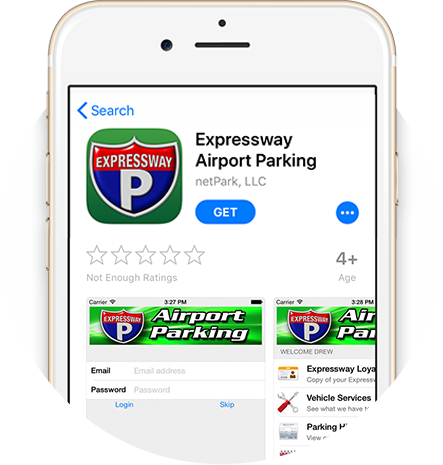
Expressway Airport Parking Mobile App
Our easy-to-use mobile app is available on all smartphones for all customers. The app allows you to easily:
- Make parking reservations
- Redeem Rewards Program points
- Obtain the 5th Day Free Rate
- Quickly scan your code at our lots for easy entry
- View Parking History & Receipts


Frequently Asked Questions
Does Expressway Parking offer a rewards program for Little Rock Airport parking?
Yes. Expressway Parking offers a Business Rewards Program for business travelers who need airport parking at Little Rock Airport often. Members earn 1 point for every dollar spent on parking, and 70 points earn 1 free day. Let your business travel earn you free days for personal travel. Download our mobile app and log in with your Rewards login and utilize the digital gate pass and view all of your parking history for tracking expense reports. You can also compare current Little Rock Airport parking rates before booking.
How do I earn free parking with Expressway Rewards?
You earn points every time you park with Expressway Parking as a Rewards member. Points can be redeemed for free parking days by logging in to your Expressway Rewards profile via the app or website and applying them to a reservation. You can also reserve airport parking online before your next trip.
How do I check my Expressway Rewards balance?
You can check your Rewards balance by logging into your Expressway Rewards account with your email address and password. From your profile, you can view your point balance, parking history, and past receipts and redeem points toward a future reservation.
Is Expressway Rewards better than using a parking promo code or coupon?
For frequent travelers, Expressway Rewards may be more useful than looking for a one-time promo code or coupon because members earn points toward free parking every time they park. If you travel less often, the 5th Day Free offer may be a better fit because it cannot be combined with earning Rewards points. You can review parking options on the Long & Short Term Parking page.
Can I use the Expressway Parking app with the Rewards Program?
Questions? Contact us at (501) 375-3722.